
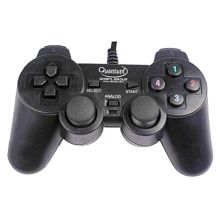
Quantum QHM7468-2VA gamepad drivers enable Windows to recognize this USB controller, supporting button, joystick, and vibration functions on compatible systems.
Quick Install Steps
- Download – Download
Quantum usb joystick drivers.exeand save it to your computer. - Run the installer – Double-click the
.exefile. If Windows displays a security prompt, select Yes to continue. - Follow the setup – Follow the on-screen instructions and allow the driver installation to complete.
- Connect the gamepad – Plug the Quantum USB joystick into an available USB port and allow Windows to detect it.
- Test the controller – Open Settings → Bluetooth & devices → Devices or Control Panel → Devices and Printers to verify the gamepad is recognized.