
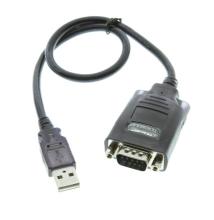
The Prolific USB-to-Serial driver enables computers running Windows 11 and Windows 10 to communicate with USB-to-serial adapters using Prolific chipsets such as the PL2303. The driver creates a virtual COM port that applications can use to communicate with serial equipment, including modems, industrial controllers, GPS receivers, and other legacy hardware requiring an RS-232 connection.
Quick Install Steps
- Download the driver – Download the Prolific USB-to-Serial driver package for your Windows version and extract the ZIP file if necessary.
- Run the installer – Open the extracted folder and launch
Setup.exeor the included driver installation program for your OS. - Complete installation – Follow the on-screen instructions and restart Windows if prompted.
- Connect the adapter – Plug in the Prolific USB-to-Serial adapter and open Device Manager > Ports (COM & LPT) to confirm that the Prolific USB-to-Serial device appears with a COM port.
Prolific Drivers - Windows Drivers.zip