
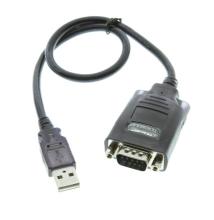
The PL2303 Windows Driver 1.18 enables compatible Prolific USB-to-Serial adapters to communicate with Windows computers. It provides virtual COM port functionality for connecting serial devices, peripherals, and legacy equipment.
Quick Install Steps
- Download the Driver – Download the appropriate Prolific USB-to-Serial driver for your version of Windows. If the download is provided as a ZIP file, extract it before continuing.
- Start the Installer – Open the extracted driver folder and run
Setup.exeor the included installation program. - Finish the Installation – Follow the on-screen instructions to install the driver. Restart your computer if Windows prompts you to do so.
- Connect and Verify – Connect the Prolific USB-to-Serial adapter, then open Device Manager → Ports (COM & LPT). Confirm that the Prolific USB-to-Serial device is listed and assigned a COM port.
PL2303_Prolific_DriverInstaller_v1180.zip